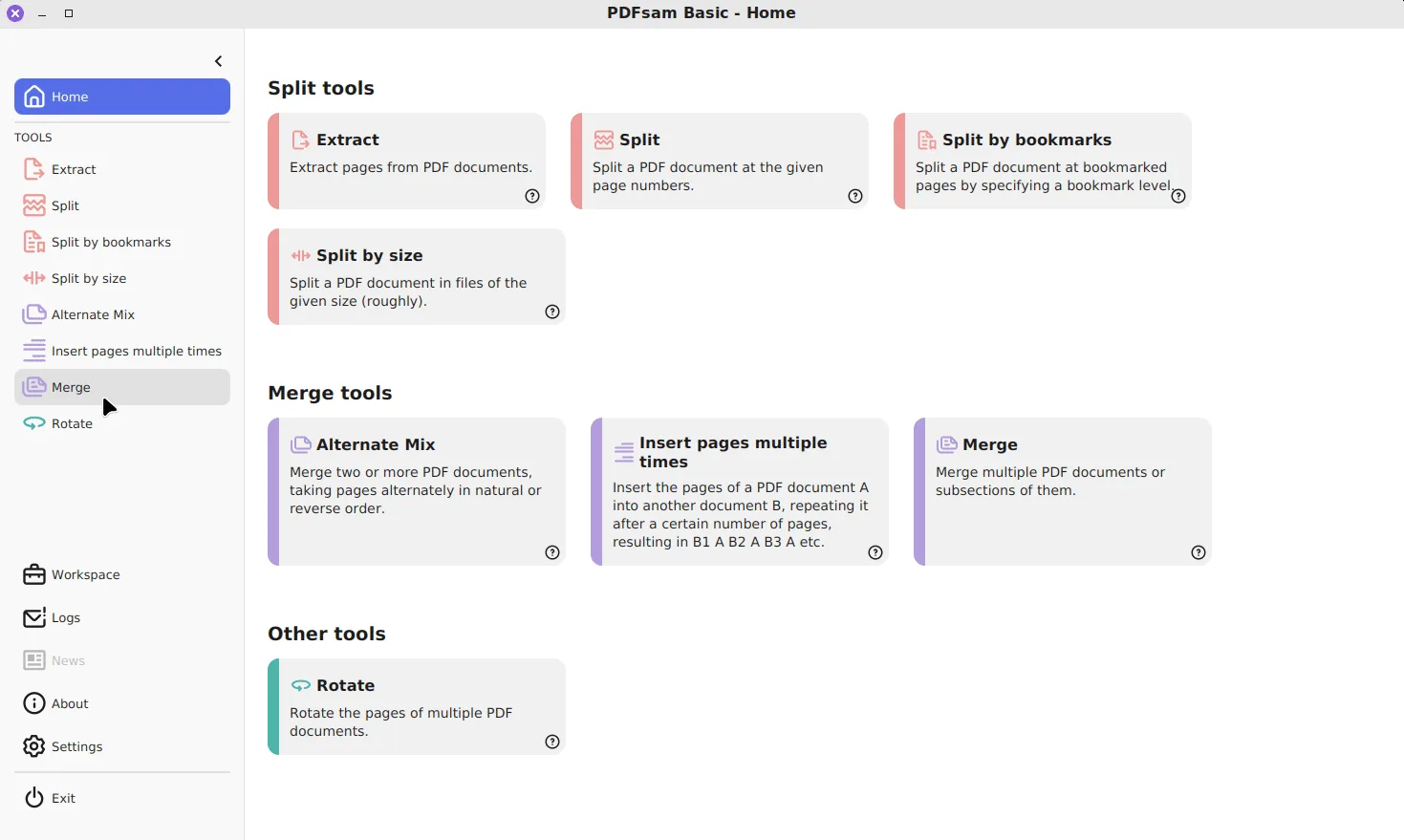
How do I extract pages with PDFsam Basic?
Copy selected pages from a PDF into a new file with the Extract tool. It takes five steps: open Extract, add the PDF, type the pages, decide on one or several files and run and open the result.
- Open Extract. Start PDFsam Basic and click Extract, the first card under Split tools on the Home screen.
- Add the PDF. Drag one or more PDFs into the list, or click Add and choose them.
- Type the pages. In Pages to extract, enter pages and ranges such as 2 or 5-23 or 2,5-7,12- or 3,last.
- Decide on one or several files. Tick A separate file for each set of pages if every continuous series should become its own PDF.
- Run and open the result. Choose the output folder and click Run, then open the new file and check its page count.
What can you type in Pages to extract?
The field takes single pages, ranges and open-ended ranges, separated by commas. The tool’s own hint gives the pattern: 2 or 5-23 or 2,5-7,12- or 3,last (Extract source). A range with no end runs to the final page, and the word last always means the final page of that file, whatever its length.
| You type | Pages copied | Typical use |
|---|---|---|
2 |
Page 2 only | Pull one form out of a packet |
5-23 |
Pages 5 to 23 | Keep one chapter of a report |
2,5-7,12- |
2, 5, 6, 7, then 12 to the end | Gather scattered pages |
3,last |
Page 3 and the final page | Cover letter plus signature page |
1-1,last |
First and final pages | Quick summary of a long scan |
Pages come out in the order they appear in the source, so the selection is a filter, not a reordering tool. To change the order, extract first and then join the pieces with Merge, where the list order decides the page order.
One file or one file per range?
By default everything you selected goes into a single new PDF. Tick A separate file for each set of pages and each continuous series becomes its own document instead. With 2,5-7,12- that gives three files: page 2, pages 5 to 7, and page 12 onwards.
This option turns Extract into a selective split. Split cuts the whole document and keeps every page; Extract with separate files keeps only the ranges you name and discards the rest of the output, while the source stays whole.
How are the new files named?
Output names are set under File names settings. PDFsam Basic starts every name with the PDFsam_ prefix, set in its default properties, so a new file never lands on top of the original. Right-click the prefix field to insert placeholders:
[FILENUMBER]numbers each output file, which keeps separate ranges in order in a folder listing.[TOTAL_FILESNUMBER]adds how many files the run produced, useful for names like “part 2 of 3”.[BASENAME]and[TIMESTAMP]reuse the source file name or add the time of the run.
If you extract from several inputs in one run, include [BASENAME] so the results can be told apart. The default prefix itself can be changed for every tool on the settings page.
Why use Extract instead of printing to PDF?
Printing selected pages to a PDF printer redraws them, which can drop links, bookmarks inside the range and form fields, and can change image quality. Extract copies the page objects themselves, so text stays selectable and images keep their original encoding. It also runs entirely on your machine; see what PDFsam Basic sends if that matters for the documents involved.
Extract works on page structure only. It cannot crop part of a page, remove a paragraph or black out text. Those jobs belong to a full editor such as the paid PDFsam Enhanced, compared on the editions page.
What if the PDF is password protected?
A protected file shows a lock icon in its row. Click it, enter the user password and choose Unlock; the row then loads normally and Extract can read the pages. The new file is written without that password, so store it with the same care as the original.
If PDFsam Basic is not installed yet, the Windows download page has the winget command and the MSI, and the guides index lists every other tool.
Frequently asked questions
How do I extract the last page of a PDF?
Type last in the Pages to extract field, or combine it with other pages, such as 3,last. PDFsam Basic resolves last to the final page of each input file.
Can Extract pull pages from several PDFs at once?
Yes. Add more than one PDF to the Extract list and the same page selection is applied to each file, giving one output per input.
Does extracting pages delete them from the original?
No. Extract only reads the source PDF and writes the selected pages to a new file. To drop pages instead, extract the ones you want to keep.