Which PDFsam edition is open source?
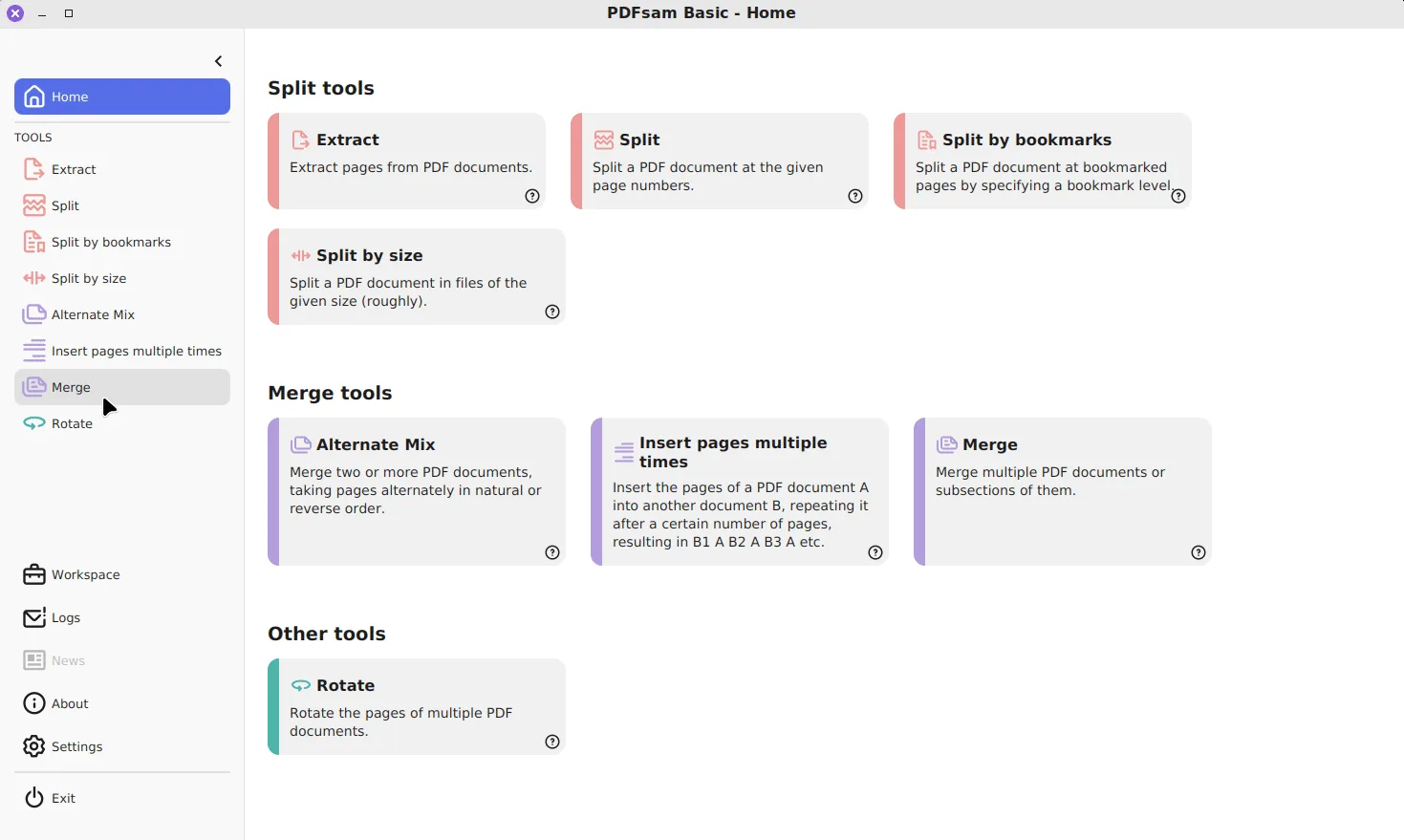
Only Basic. Its code, in the torakiki/pdfsam repository on GitHub, is licensed under the GNU AGPL v3, and the app’s module list declares exactly eight tools: Merge, Split, Split by bookmarks, Split by size, Extract, Rotate, Alternate Mix and Insert pages multiple times. Visual and Enhanced are closed-source products sold by the same publisher. They are not upgrades you unlock inside Basic, but separate downloads.
What does each edition offer?
The publisher’s own download page describes the three like this. Prices and trial terms change, so check pdfsam.org/downloads before buying.
| Edition | Licence | Platforms | How the publisher describes it |
|---|---|---|---|
| PDFsam Basic | AGPL v3, free | Windows, macOS, Linux | Free, open source app to split, merge, extract, rotate and mix PDF files, with no watermarks and no file size limits |
| PDFsam Visual | Paid, 14-day free trial | Check the download page | More than 25 PDF tools: compress, crop, convert, split, merge and organize |
| PDFsam Enhanced | Paid | Windows | A professional PDF editor to convert, review, fill forms, OCR, sign, secure and edit PDF files |
What can Basic not do?
Basic works on whole pages and never touches what is drawn on them. That rules out several jobs people expect from a PDF editor:
- changing or correcting the text on a page;
- recognising text in a scan (OCR);
- redacting or blacking out content;
- adding a signature, drawn or digital;
- filling a form by hand, beyond merging or flattening forms that are already filled;
- shrinking a scan by recompressing its images.
If your job is on that list, Basic will not do it, and a trial of the paid editions or a different editor is the honest answer. If your job is putting pages together, taking them apart or turning them, Basic covers it with no cost and no time limit.
How do you tell which one you are downloading?
The downloads page offers all three side by side, so it is easy to grab the wrong one. The free edition’s files always start with pdfsam-basic, for example pdfsam-basic-6.0.5-windows-x64.msi, and they are also on the GitHub releases page, where the paid editions are not. The winget package PDFsam.PDFsam installs Basic only. The Windows download page lists the current Basic files with their hashes.
Can you hide the paid-edition prompts in Basic?
Yes. Basic fetches a list of premium tools at startup and shows them as cards, which lead to the paid editions. Untick Show premium features in Settings to stop both the request and the cards, and Show donation window to stop the occasional support notice. The settings guide covers every option, including how to set these for all users in a silent install.
Which edition should you choose?
Start with Basic. Most people who search for a free PDF tool want to merge files, split a document or pull out a few pages, and Basic does those offline without an account. Only look at Visual or Enhanced when you hit a job on the list above, and compare them with other editors at that point; the PDF24 comparison is a good next stop.
Frequently asked questions
Is PDFsam Enhanced free?
No. PDFsam Enhanced is a commercial Windows PDF editor sold by the same publisher. Only PDFsam Basic is free with no time limit, because it is open source under the AGPL.
Can PDFsam Basic run OCR on a scanned PDF?
No. None of its eight tools recognises text. Its tool list covers merging, splitting, extracting, rotating and mixing pages, and OCR sits in the paid Enhanced edition.
Why does PDFsam Basic show tools it cannot run?
The Home screen can show cards for tools from the paid editions. They advertise Visual and Enhanced. Untick Show premium features in Settings and they disappear.