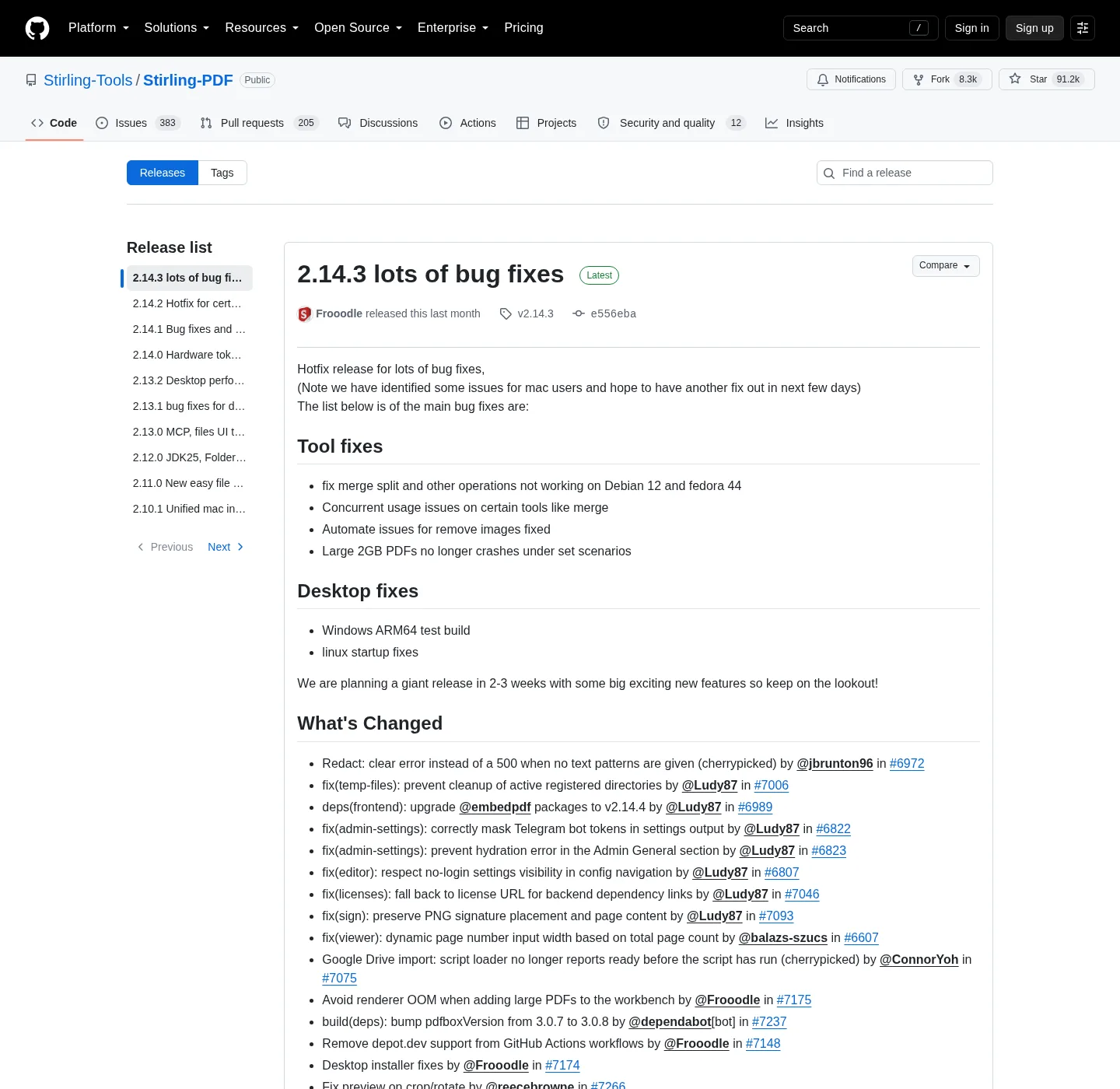
Stirling PDF is the project, and ads are off and the official tag is not the hazard, and the hazard is a locker site that wraps the name. Which GitHub name to click is spelled out on open source PDF editor releases. Windows MSI detail is on Windows PDF editor download. Docker compose is on PDF editor Docker Compose; Winget missing on the PC: how to install winget.
Official download channels
Five hosts count as official for the paths these notes map. GitHub Releases holds the Windows MSI and the JARs; Winget holds the same Windows product under a publisher id. Stirling docs explain compose and modes. files.stirlingpdf.com is a Stirling file host. docker.stirlingpdf.com is the image registry. Anything else has to earn trust by redirecting to one of these, not by inventing a new EXE.
| Channel | Expected host | What you get |
|---|---|---|
| GitHub Releases | github.com/Stirling-Tools/Stirling-PDF/releases | Windows MSI, ARM Windows setup when published, three JAR names. Not the Docker image. |
| winget | Microsoft community repo, id StirlingTools.StirlingPDF | Windows desktop package. Command: winget install StirlingTools.StirlingPDF. |
| Stirling docs | docs.stirlingpdf.com | Install guides, Docker compose, modes, OCR notes. Not a binary host. |
| Stirling files | files.stirlingpdf.com | Files Stirling publishes. Confirm the name matches the GitHub pattern before you run it. |
| Stirling Docker | docker.stirlingpdf.com | Image stirlingtools/stirling-pdf with tags latest, latest-fat, latest-ultra-lite. |
| Scoop bucket | github.com/Stirling-Tools/homebrew-stirling-pdf | Optional Windows path: add that bucket, then scoop install stirling-pdf/stirling-pdf. |
| Project homepage | stirling.com | Vendor site. Confirm you are looking at Stirling PDF Inc., then still take files from Releases or the Stirling hosts above. |
winget install StirlingTools.StirlingPDFRed flags
Softonic and CNET are the names people actually land on; They wrap installers, delay the real file, and sometimes bundle extra offers. A PDF editor that processes contracts and scans is a poor fit for a wrapped installer. Close that tab; Open GitHub Releases or run winget.
Other flags: a domain that is the project name plus download, official, or win64, and is not github.com, stirling.com, docs.stirlingpdf.com, files.stirlingpdf.com, or docker.stirlingpdf.com. A page that asks for a survey, a phone number, or a credit card before the MSI. A file named with setup, crack, or free-full in front of Stirling, and an email attachment. A shortened link in a comment, and a Chrome store item that is not the project.
Windows SmartScreen and browser warnings can appear on a brand-new tag, and that is not automatic proof of malware, and it is not a reason to fetch a wrapper that promises to skip the warning. Stay on GitHub, and if the publisher on the UAC prompt is not who you expected, cancel.
How to fetch this PDF editor from an official channel
- Decide Windows desktop or Docker. Do not mix helper download sites into that choice.
- For Windows, run winget install StirlingTools.StirlingPDF, or take Stirling-PDF-windows-x86_64.msi from GitHub Releases.
- For Docker, copy official compose, pull docker.stirlingpdf.com/stirlingtools/stirling-pdf:latest, then docker-compose up -d.
- Confirm the host name before you run the file or start the container.
- Skip Softonic, CNET, and lookalike portals. Open the app or http://localhost:8080 and run one local job.
Docker login is on, and default admin / stirling; Change it, and desktop has no login. If the Windows window is missing, install WebView2 from Microsoft. No SOC or ISO claim is repeated here, because none was verified on the pages checked for these notes. Most of the public repo is MIT with folder exceptions; Read LICENSE. Guides: PDF editor guides. GitHub map: open source PDF editor on GitHub and after install, try merge PDF.
Is it safe to download this PDF editor from GitHub?
Yes, when the file comes from github.com/Stirling-Tools/Stirling-PDF/releases and the name matches the documented pattern. Winget id StirlingTools.StirlingPDF is the same Windows product; Skip Softonic and CNET.
What are the official download channels?
GitHub Releases, winget, docs.stirlingpdf.com, files.stirlingpdf.com, and docker.stirlingpdf.com, and scoop uses the official Stirling bucket on GitHub. stirling.com is the vendor homepage.
Does this PDF editor need a login on Windows?
The desktop app has no login. Docker login is on by default with admin / stirling. Change that password, and a website that asks for a credit card before the MSI is not an official channel.
Are Softonic and CNET official Stirling sources?
No; They wrap installers and sometimes bundle extra offers. Close that tab, and open GitHub Releases or run winget.
How do I verify the Windows PDF editor file?
Confirm the host is GitHub or winget; Match Stirling-PDF-windows-x86_64.msi. Prefer checksums the project publishes on that tag, and then install to C:\Program Files\Stirling-PDF.