How do the two compare at a glance?
The comparison below keeps to the stable basics of each product. PDF24’s feature list changes more often than PDFsam’s, so check pdf24.org for the current tools.
| PDFsam Basic | PDF24 Creator | |
|---|---|---|
| Price | Free | Free |
| Licence | Open source, GNU AGPL v3 | Closed-source freeware |
| Publisher | Sober Lemur S.r.l. | geek software GmbH |
| Desktop platforms | Windows, macOS, Linux | Windows |
| Browser version | None; desktop only | Separate online tools at tools.pdf24.org |
| Merge, split, rotate, extract | Yes | Yes |
| Compress by resampling images | No | Yes |
| OCR | No | Yes |
| Winget package | PDFsam.PDFsam |
geeksoftwareGmbH.PDF24Creator |
| Licence in winget manifest | AGPL-3.0 | Proprietary |
| Installer size, measured | 93.8 MB MSI | 376 MB MSI |
The licences come from the PDFsam.PDFsam and PDF24Creator winget manifests. We read both installer sizes from the download servers on 29 September 2026, using the URLs in those manifests.
Where is PDFsam Basic the better choice?
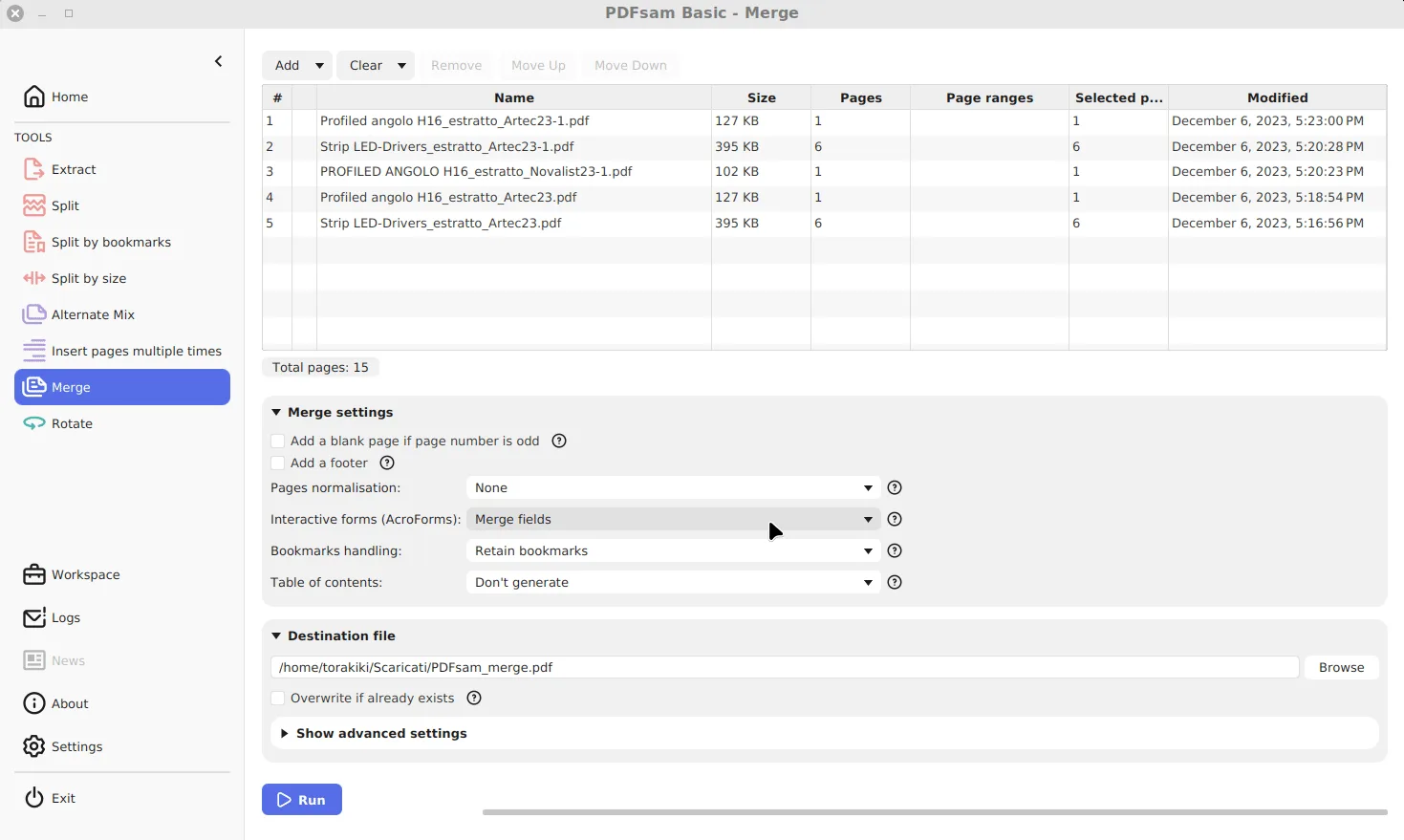
Three situations favour it. First, when the licence matters: a school, public office or company with an open source policy can inspect, build and redistribute PDFsam Basic under the AGPL, which is not possible with freeware. Second, on a Mac or Linux PC, where PDF24 Creator has no desktop build. Third, for page-level precision: Basic’s Merge accepts page ranges per file and sets how bookmarks, form fields and a table of contents are handled, and its split tools cut by page numbers, bookmark level or file size.
Its tools are covered one by one in the guides to merging, splitting and extracting pages.
Where is PDF24 Creator the better choice?
When the job goes beyond whole pages. PDF24 Creator includes compression that resamples images, OCR, and conversion tools that Basic does not have. It also installs a virtual PDF printer on Windows, so any program that prints can save a PDF. If you need a smaller scan for an email limit, PDFsam’s Split by size can cut the file into parts, but only a real compressor makes each page smaller.
What about privacy?
Both desktop programs process files locally. The difference is in the family around them. PDF24 also runs an online service where files are uploaded to its servers; that is a separate product from the desktop Creator, and it is easy to land on it from a search result. PDFsam Basic has no online version, and its only network use is the optional startup requests described in the safety guide.
Which should you install?
Pick by the job in front of you:
- Merging, splitting, extracting or rotating pages on any operating system: PDFsam Basic.
- A policy or preference for open source software: PDFsam Basic.
- OCR, image compression or a PDF printer on Windows: PDF24 Creator, or keep both.
To start with PDFsam Basic, use the one-line winget command on the Windows download page. If your comparison is really with the paid standard, the Adobe Acrobat comparison is next.
Frequently asked questions
Is PDF24 Creator open source?
No. PDF24 Creator is freeware from geek software GmbH: free to use, but its source code is not published. PDFsam Basic publishes all of its code under the AGPL v3.
Which one can shrink a scanned PDF?
PDF24 Creator has a compression tool that recompresses images. PDFsam Basic's compression option only packs the file's internal streams, so a scan stays about the same size.
Can I use both on the same PC?
Yes. They install separately and do not conflict. Many people keep PDFsam Basic for page jobs and another tool for OCR or compression.