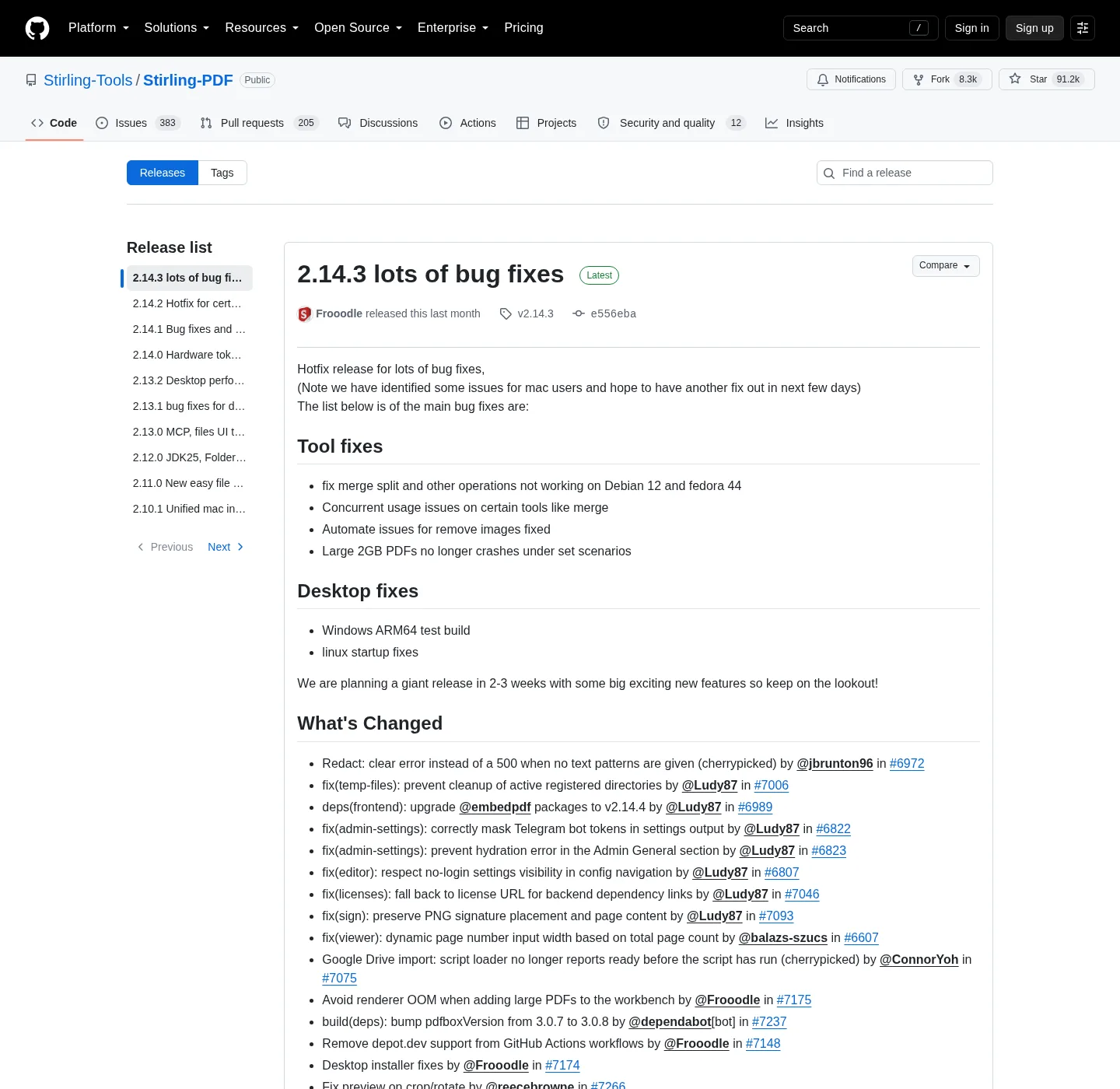
Windows desktop uses winget install StirlingTools.StirlingPDF or the MSI on that same GitHub tag, while Docker uses official compose, then docker-compose up -d, then http://localhost:8080 with login on and default admin / stirling until you change it.
The project homepage is stirling.com, and docs are docs.stirlingpdf.com and Installers for Windows and the three JAR names sit on the Releases tab of that same repo. The Docker image does not; Pull it from docker.stirlingpdf.com. Star counts and download counts move, and notes never print a live star count. The stamp carries the current GitHub release tag.
The repository at a glance
| Fact | Value |
|---|---|
| Repository | github.com/Stirling-Tools/Stirling-PDF |
| Releases | github.com/Stirling-Tools/Stirling-PDF/releases |
| Issues | github.com/Stirling-Tools/Stirling-PDF/issues |
| Homepage | stirling.com |
| Docs | docs.stirlingpdf.com |
| License file | LICENSE in the repo. Most of the public tree is MIT, Copyright 2025 Stirling PDF Inc. Some folders are not MIT. |
| Windows package id | StirlingTools.StirlingPDF on winget |
| Docker image | docker.stirlingpdf.com/stirlingtools/stirling-pdf:latest (not a GitHub file) |
| File hosts Stirling runs | files.stirlingpdf.com, docker.stirlingpdf.com |
License honesty
GitHub may show the repo license as MIT or as Other, depending on how GitHub reads a multi-license file. The text in LICENSE is the source, not the badge and Stirling PDF Inc. holds Copyright 2025 on the MIT portion. Content outside the excepted directories is MIT, and that is not the same sentence as the whole product is MIT.
Folders such as proprietary, saas, engine, desktop, cloud, and portal use other licenses defined in those directories. If you ship a fork, read those files, and if you only install the Windows MSI or pull the public Docker tag, you are running a build the project published. You are still not entitled to treat every folder as MIT and Trademark terms live on stirling.com. Nominative description of the product is the job of these notes, and the Stirling logo is not the mark of these notes.
What to clone, what to install, what not to paste
Clone the repo if you want to read source or build, and install from Releases, winget, or Docker if you want a PDF editor today. Do not paste confidential PDFs into a GitHub issue, and do not paste Docker passwords into an issue. Do not attach a customer scan to a public ticket, and product bugs belong on Issues with a redacted sample. Install commands belong in a local terminal.
Windows:
winget install StirlingTools.StirlingPDFDocker, after you copy official compose:
docker-compose up -dThen http://localhost:8080, login on, default admin / stirling, and change it and Walkthroughs: Windows PDF editor download, PDF editor Docker Compose, how to install winget. Asset patterns: open source PDF editor releases; Safe fetch: is it safe to download this PDF editor. Guides: PDF editor guides.
Self-host plans, not a GitHub price list
Free self-host covers up to 5 users, and server is about US$99 per month or about US$999 per year. Enterprise is custom; Check Paid Offerings and stirling.com/pricing. Stirling Cloud at stirling.com/app is a separate product with credits, and it is not the self-host Docker path. No SOC or ISO claim is repeated here, because none was verified on the pages checked for these notes.
Where is this PDF editor on GitHub?
The public repository is github.com/Stirling-Tools/Stirling-PDF; Releases hold the Windows MSI and the JAR names. Issues belong on that same repo.
Is the whole PDF editor MIT?
Most of the public tree is MIT, Copyright 2025 Stirling PDF Inc and Folders such as proprietary, saas, engine, desktop, cloud, and portal use other licenses. Read LICENSE in the repo.
Does GitHub host the Docker image?
No; Pull docker.stirlingpdf.com/stirlingtools/stirling-pdf:latest and Compose lives in official Docker docs and then docker-compose up -d and open http://localhost:8080.
Where should I file a Stirling PDF bug?
Open GitHub Issues on Stirling-Tools/Stirling-PDF and follow the project templates, and corrections to these install notes go through the contact process in these notes.
What is the winget id for the GitHub project?
StirlingTools.StirlingPDF; Command: winget install StirlingTools.StirlingPDF and That package is the Windows desktop app, not a JAR and not the Docker image.