Install PDFsam Basic 6.0.5
Windows
Paste into the Run box (Win+R), PowerShell or Windows Terminal:
winget install -e --id PDFsam.PDFsam --accept-source-agreements --accept-package-agreements- Press Win+R
- Paste with Ctrl+V
- Press Enter
Package: winget package PDFsam.PDFsam, which installs the official PDFsam Basic MSI from GitHub.
Or download the file directly from the official release:
Download Windows x64 MSIAlso on this release: Windows x64 ZIP (no installer)
Verify the download (SHA-256)
GitHub publishes this hash for pdfsam-basic-6.0.5-windows-x64.msi. It must match exactly.
956c37e2bbb1ac8af73f6aa2bc1dc651d457274221522e27e512d725b703f002PowerShell: Get-FileHash .\pdfsam-basic-6.0.5-windows-x64.msi -Algorithm SHA256
64-bit (x64) Windows. Java is bundled with the app, so nothing else is needed. Installs for all users to C:\Program Files\PDFsam Basic.
macOS
Paste into Terminal, with Homebrew installed:
brew install --cask pdfsam-basicPackage: Homebrew cask pdfsam-basic, which downloads the official DMG from GitHub.
Or download the file directly from the official release:
Download macOS DMG for Apple siliconAlso on this release: macOS DMG for Intel Macs
Verify the download (SHA-256)
GitHub publishes this hash for pdfsam-basic-6.0.5-macos-arm64.dmg. It must match exactly.
61a1644dbe71b063e8b302c430e4285daf29c8013bdd729e7c3592cf9d0a915aTerminal: shasum -a 256 pdfsam-basic-6.0.5-macos-arm64.dmg
Apple silicon DMG by default; Intel Macs take the x64 DMG. Drag PDFsam Basic to Applications.
Linux
Paste into a terminal, in the folder with the downloaded .deb:
sudo apt install ./pdfsam-basic_*_amd64.debPackage: the official .deb from the GitHub release, installed with apt so dependencies resolve.
Or download the file directly from the official release:
Download Debian and Ubuntu .deb (x64)Also on this release: Linux x64 tar.gz for other distributions
Verify the download (SHA-256)
GitHub publishes this hash for pdfsam-basic_6.0.5-1_amd64.deb. It must match exactly.
99cf8fc0ea49dadc3420e2b4989358b02089f762cd9f8d9ef17ea53da2779919Terminal: shasum -a 256 pdfsam-basic_6.0.5-1_amd64.deb
64-bit Debian, Ubuntu or a derivative for the .deb; the tar.gz runs on other distributions. Installs to /opt/pdfsam-basic.
Every file comes from github.com/torakiki/pdfsam, the project's own v6.0.5 release, unmodified.
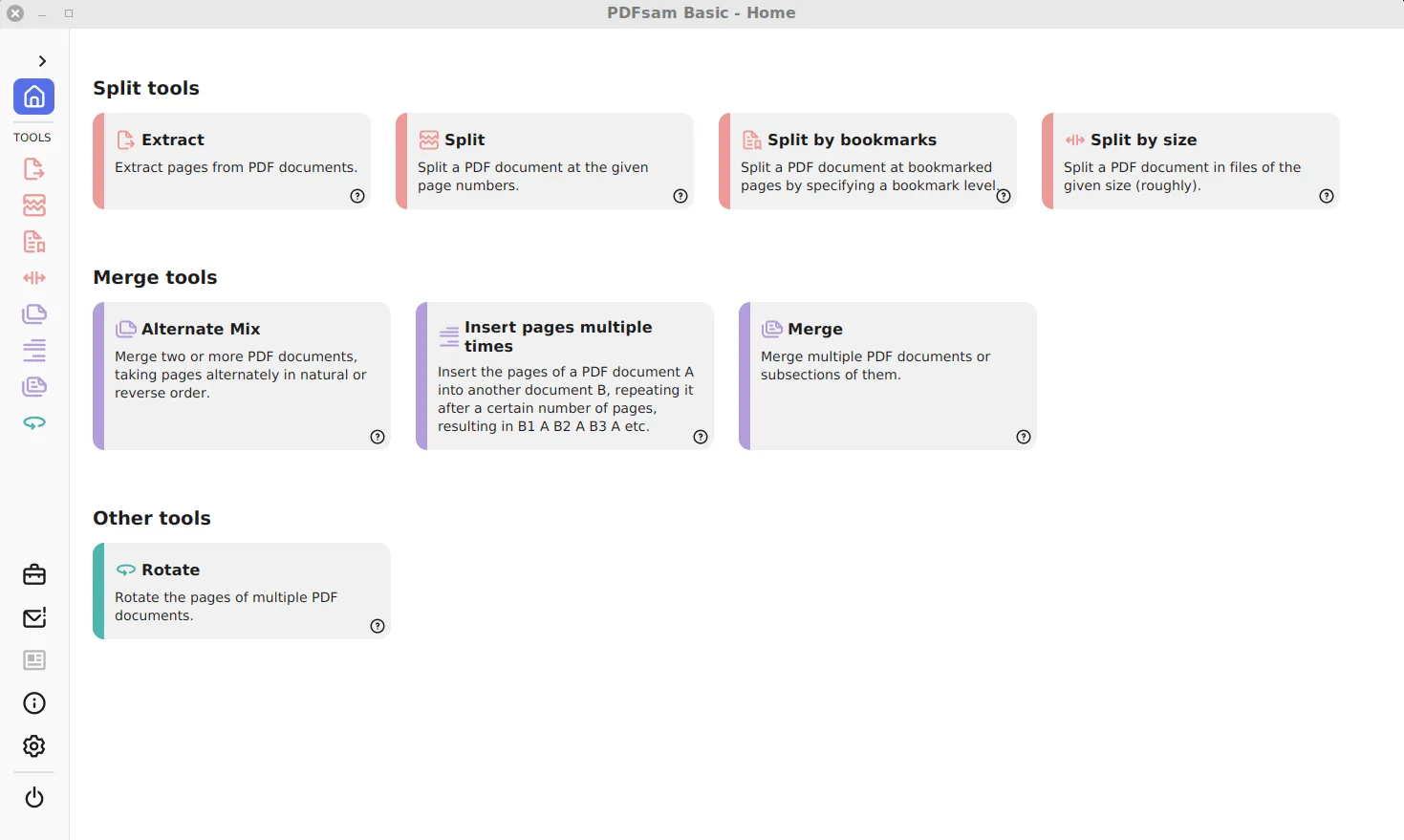
How do I install PDFsam Basic on a Mac?
It takes four steps: check your chip, install with Homebrew, or use the DMG and open it the first time.
- Check your chip. Open the Apple menu, choose About This Mac and read Chip: Apple M-series means arm64, Intel means x64.
- Install with Homebrew. In Terminal, run brew install --cask pdfsam-basic. Homebrew downloads the official DMG from GitHub.
- Or use the DMG. Download the DMG that matches your chip from the table, open it and drag PDFsam Basic into Applications.
- Open it the first time. Open PDFsam Basic from Applications. If macOS asks for confirmation, click Open.
Which Mac file do you need?
Apple silicon Macs take the macos-arm64 DMG, and Intel Macs take the macos-x64 DMG. The native Apple silicon build arrived in release 5.3.0. Each DMG also comes as a ZIP with the same app inside, and the Homebrew cask pdfsam-basic picks the Apple silicon DMG. Homebrew users update with brew upgrade --cask pdfsam-basic.
| File | Size | SHA-256 |
|---|---|---|
| pdfsam-basic-6.0.5-macos-arm64.dmg macOS DMG for Apple silicon | 93.6 MB | 61a1644dbe71b063e8b302c430e4285daf29c8013bdd729e7c3592cf9d0a915a |
| pdfsam-basic-6.0.5-macos-x64.dmg macOS DMG for Intel Macs | 95.2 MB | b86520a95b980ffef0497e7147ab3500bc4e6f1dd7780a97c2b5973e71b534b9 |
| pdfsam-basic_6.0.5-1_amd64.deb Debian and Ubuntu .deb (x64) | 96.5 MB | 99cf8fc0ea49dadc3420e2b4989358b02089f762cd9f8d9ef17ea53da2779919 |
| pdfsam-basic-6.0.5-linux-x64.tar.gz Linux x64 tar.gz for other distributions | 96.5 MB | 0ecac261493596bbd1d59dc998bd137f104dfb409f5556278e09e12cf5697079 |
How do you install it on Linux?
On Debian, Ubuntu, Linux Mint and other apt-based systems, download the .deb and run sudo apt install ./pdfsam-basic_*_amd64.deb from the folder that holds it. The package installs to /opt/pdfsam-basic with its own Java runtime, adds a menu entry and links a pdfsam command. On Fedora, Arch and others, unpack the linux-x64.tar.gz anywhere in your home folder and start the pdfsam-basic launcher in its bin folder. Both are x64 builds.
Frequently asked questions
Is PDFsam Basic on the Mac App Store?
No. The official Mac builds are the DMG and ZIP files on GitHub and pdfsam.org, and the Homebrew cask that installs the same DMG.
Is there a Flatpak or Snap of PDFsam Basic?
The project itself publishes the .deb and the tar.gz. Check any Flatpak or Snap you find for who maintains it before installing, because it is not the project's own build.
How do I remove PDFsam Basic on Linux?
Run sudo apt remove pdfsam-basic for the .deb install. For the tar.gz, delete the folder you unpacked. Your PDFs are not touched either way.