Safe means official bits
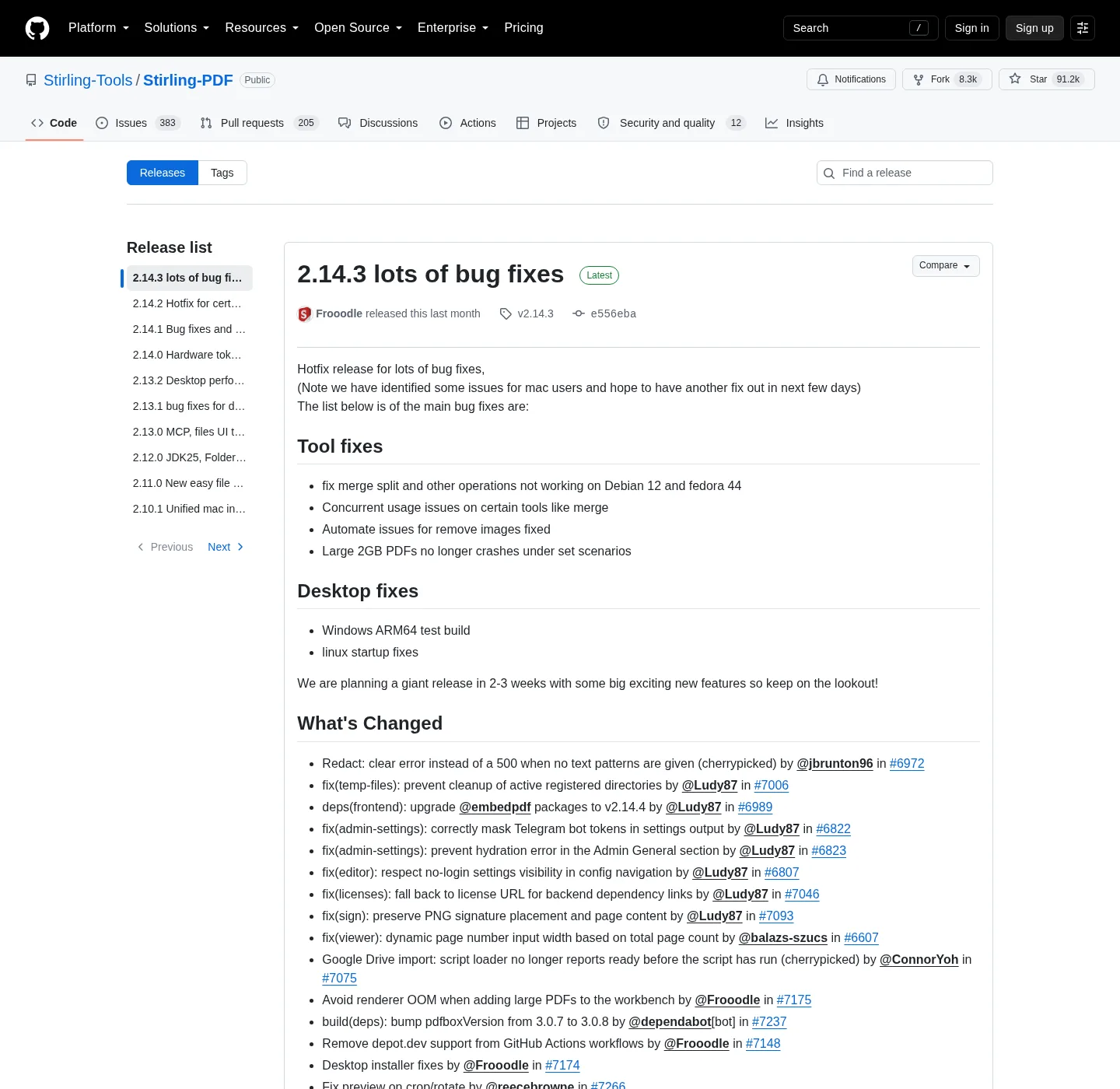
It is safe to download this PDF editor when the bytes come from Stirling’s GitHub and registry. Official origins:
- Repo: github.com/Stirling-Tools/Stirling-PDF
- Releases: GitHub Releases
- Image: docker.stirlingpdf.com
- Docs: docs.stirlingpdf.com
- Product: stirling.com
Related notes: download safe, GitHub, releases, about, editorial policy, privacy, advertising disclosure, contact, home.
Skip Softonic, CNET, mirror blogs, and email attachments named Stirling. If the filename is not the MSI, JAR, or image tag from official docs, do not run it.
Official Windows, Docker, and JAR paths
Windows desktop:
winget install StirlingTools.StirlingPDFThe id must be StirlingTools.StirlingPDF; if winget is missing, How to install winget; MSI on the current GitHub release: Stirling-PDF-windows-x86_64.msi; it lands in C:\Program Files\Stirling-PDF. Desktop has no login; if the process runs and no window appears, install Microsoft Edge WebView2 Runtime. An ARM64 setup exe exists on the tag as a test build; do not treat it as the default x64 path.
Docker:
docker.stirlingpdf.com/stirlingtools/stirling-pdf:latestThen:
docker-compose up -dOpen http://localhost:8080; login is on; default admin / stirling; change immediately; opt out only with:
SECURITY_ENABLELOGIN=falseTags: latest, latest-fat, latest-ultra-lite; compose notes: PDF editor Docker; chooser: Windows or Docker and desktop or Docker.
JAR: Stirling-PDF-with-login.jar, Stirling-PDF.jar, Stirling-PDF-server.jar, Java JDK 25; guide: JAR server.
Licence, Cloud, and paid self-host
| Topic | What is true | What is not |
|---|---|---|
| Public repo licence | Most of the tree is MIT (Copyright 2025 Stirling PDF Inc.) | The whole product is only MIT |
| Directory exceptions | proprietary, saas, engine, desktop, cloud, portal | Ignore those folders |
| Desktop local | Merge, split, rotate, sign on the device | OCR in local-only mode |
| Self-hosted Docker / JAR | Processing on the machine you run | The same as Stirling Cloud |
| Stirling.com Cloud | Processing on Stirling cloud, credits | A local window |
| Free self-host | Up to 5 users | Unlimited seats |
| Server plan | About US$99/month or about US$999/year | A guessed seat price |
| Enterprise | Custom | A number invented here |
| Audits | None claimed here | A SOC or ISO badge |
| File host | GitHub Releases, docker.stirlingpdf.com | Softonic, CNET, random mirrors |
Read the LICENSE, Modes, Paid Offerings, and stirling.com/pricing.
Steps
- Use Stirling-Tools/Stirling-PDF on GitHub, or the winget id StirlingTools.StirlingPDF, not a mirror that wraps the name.
- Run the winget command for Windows desktop, or pull docker.stirlingpdf.com/stirlingtools/stirling-pdf:latest for Docker.
- Close Softonic, CNET, and random EXE pages even if they show the Stirling name or a screenshot.
- If you use compose, sign in at http://localhost:8080 and replace admin and stirling before real PDFs.
- Launch the desktop app (install WebView2 if there is no window) or the local tab, then run a test merge on a non-private file.
First jobs after a clean install: merge pdf, split pdf, rotate a PDF, sign a PDF. OCR still needs a server: OCR a PDF.
What “safe” does not mean
Safe download is not a promise that every PDF job stays on the PC; desktop local tools do. OCR and some conversions need a server or Stirling Cloud; safe download is not a SOC 2 report. None is claimed here; safe download is not “the whole product is only MIT.” Exceptions exist in named folders.
Do not publish port 8080 to the public internet by accident; do not leave admin / stirling on a LAN container. Do not run two unofficial EXE wrappers “to compare.” Scoop is an alternate Windows path in official docs, not a third-party store:
scoop bucket add stirling-pdf https://github.com/Stirling-Tools/homebrew-stirling-pdfscoop install stirling-pdf/stirling-pdfLeaving website toolkits: move PDF tools off the web; Acrobat mapping: import a PDF workflow from Adobe. Comparisons: vs Adobe, vs PDF24, vs Sejda, vs iLovePDF, vs Bento; Guides.
Common questions
How do I download this PDF editor safely? Get the MSI, JARs, and release files from GitHub Releases. Use winget id StirlingTools.StirlingPDF; pull Docker from docker.stirlingpdf.com/stirlingtools/stirling-pdf:latest; docs live at docs.stirlingpdf.com; product home is stirling.com. Skip Softonic, CNET, and random mirrors.
Is Stirling PDF only MIT licensed? No. Most of the public Stirling-Tools/Stirling-PDF repo is MIT (Copyright 2025 Stirling PDF Inc.); folders such as proprietary, saas, engine, desktop, cloud, and portal use other licenses. Do not claim the whole product is only MIT; read the repo license file and Modes docs for Cloud and paid server tiers.
How do I know the winget PDF editor is official? The id is StirlingTools.StirlingPDF. If winget offers a similarly named package with a different id, stop; the MSI on GitHub Releases is Stirling-PDF-windows-x86_64.msi. Scoop uses the official bucket URL in the Windows docs; related: How to install winget.
Is the default Docker login safe to leave? No. Official Docker docs: login is on, default admin and stirling, change immediately; opt out only with SECURITY_ENABLELOGIN=false if you accept an open UI. Do not publish port 8080 to the public internet by accident; desktop winget has no compose login. Two different shapes.
Does this PDF editor keep files on my PC? Desktop local tools do. Merge, split, rotate, and sign run on the device with no login; Self-hosted Docker or a JAR processes on the machine you run. Stirling.com Cloud processes on Stirling cloud and uses credits; official Modes docs list that split.
Does this PDF editor have SOC or ISO audits? Official Stirling docs and stirling.com pages do not list a SOC or ISO audit. Do not treat a missing badge as a hidden audit; trust the official origins: GitHub, docs.stirlingpdf.com, and stirling.com. Editorial notes: about and editorial policy.
Frequently asked questions
How do I download this PDF editor safely?
Get the MSI, JARs, and release files from GitHub Releases. Use winget id StirlingTools.StirlingPDF. Pull Docker from docker.stirlingpdf.com/stirlingtools/stirling-pdf:latest. Docs live at docs.stirlingpdf.com. Product home is stirling.com. Skip Softonic, CNET, and random mirrors.
Is Stirling PDF only MIT licensed?
No. Most of the public Stirling-Tools/Stirling-PDF repo is MIT (Copyright 2025 Stirling PDF Inc.). Folders such as proprietary, saas, engine, desktop, cloud, and portal use other licenses. Do not claim the whole product is only MIT. Read the repo license file and Modes docs for Cloud and paid server tiers.
How do I know the winget PDF editor is official?
The id is StirlingTools.StirlingPDF. If winget offers a similarly named package with a different id, stop. The MSI on GitHub Releases is Stirling-PDF-windows-x86_64.msi. Scoop uses the official bucket URL in the Windows docs. Related: How to install winget.
Is the default Docker login safe to leave?
No. Official Docker docs: login is on, default admin and stirling, change immediately. Opt out only with SECURITY_ENABLELOGIN=false if you accept an open UI. Do not publish port 8080 to the public internet by accident. Desktop winget has no compose login. Two different shapes.
Does this PDF editor keep files on my PC?
Desktop local tools do. Merge, split, rotate, and sign run on the device with no login. Self-hosted Docker or a JAR processes on the machine you run. Stirling.com Cloud processes on Stirling cloud and uses credits. Official Modes docs list that split.
Does this PDF editor have SOC or ISO audits?
Official Stirling docs and stirling.com pages do not list a SOC or ISO audit. Do not treat a missing badge as a hidden audit. Trust the official origins: GitHub, docs.stirlingpdf.com, and stirling.com. Editorial notes: about and editorial policy.